
Silence Remover
Native After Effects Tool for Cutting Dead Air
Our motion design team at Vidsy works with a high volume of creator footage for social media, where edits need to feel tight and snappy with no dead air. Manually finding and cutting every silent gap was slow, repetitive work, and it was usually the first step before any real editing could begin. I looked at browser-based tools, Premiere plugins, and paid After Effects tools, but none offered a free, native option that would keep things seamless for a team that lives in AE. So I built my own After Effects panel to automate it.
I shared the tool with the wider motion design team, and it's now part of their workflow too, helping us move through that first cutting stage much faster. It runs entirely on built-in After Effects functionality, so there's nothing to install. While it was built with social media in mind, it works just as well in any setting where dead air needs to go.
Includes info popups explaining each setting, with guidance on when to raise or lower it
Features
Detects silence based on a volume threshold, set relative to the clip's peak, along with a minimum silence duration
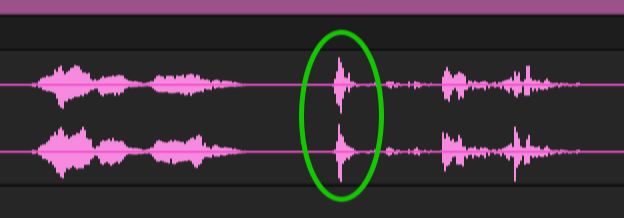
Anything quieter than set % of peak will be cut
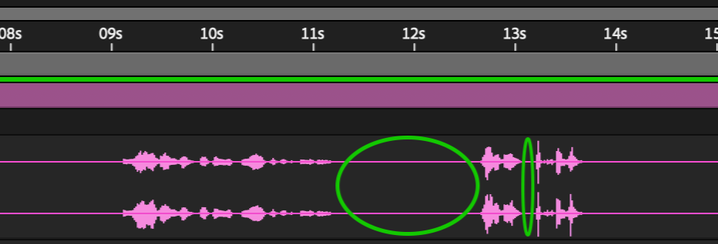
Minimum silence length stops the tool from cutting during quick breaths
Splits the layer into separate, individually movable layers, one per spoken segment, instead of one long track with the silence squeezed out

Extends each clip's tail into the real trailing quiet from the recording rather than fabricating silence, keeping the pacing natural
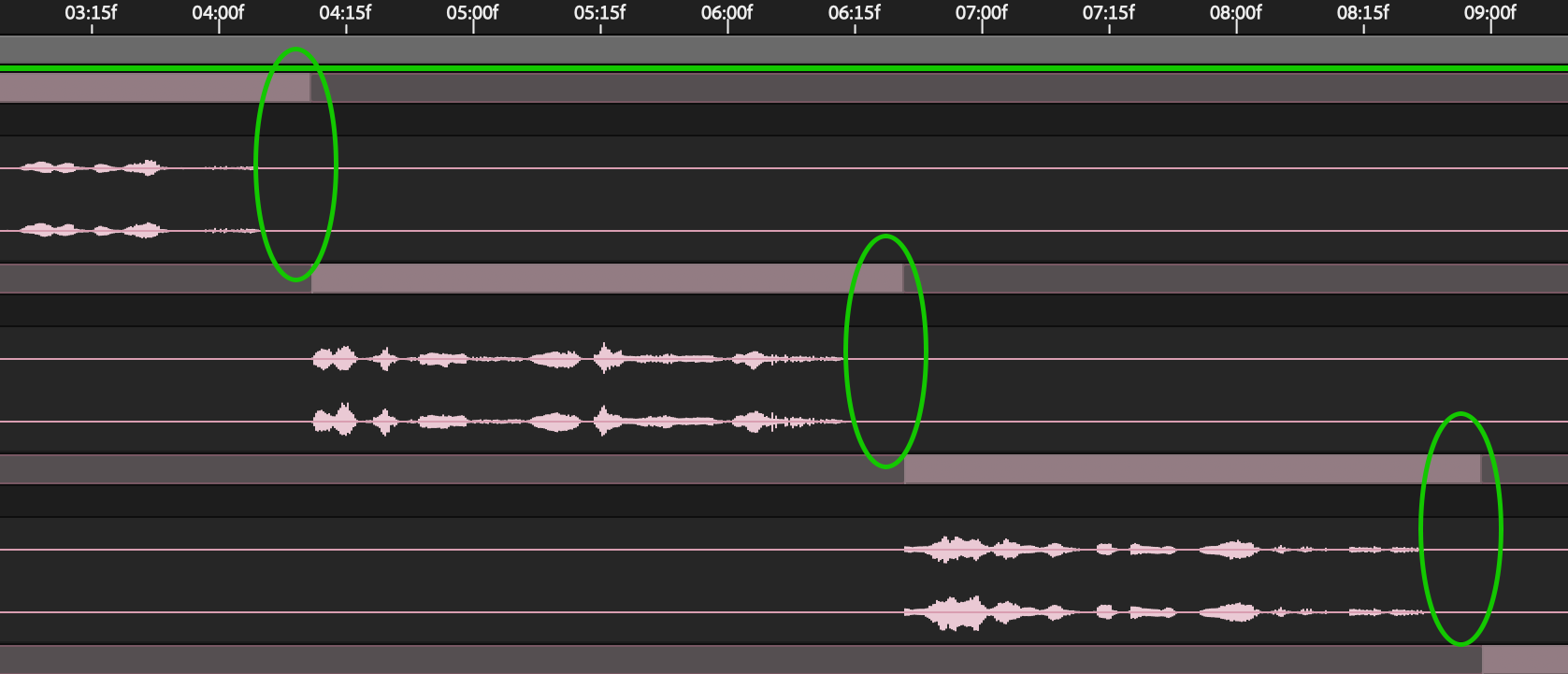
Lets users choose to compress the clips together with no gaps, or keep them in their original position with the silence simply cut from what plays

Compressed layers (no gaps)

Keep original position (gaps)